


The same repair went out at three prices this month.
For example: The same repair went out at three different prices this month, depending on who wrote it up.
30 days free, no credit card required

Generated image, not a real person.
What it costs
A homeowner who compares notes with a neighbor, and a margin you cannot predict.
What owners do today
Each tech prices from memory and the back of a supplier sheet.
Decide flat rate or hourly for each kind of work
Repairs with a known scope, such as a capacitor, a contactor or a clogged condensate line, price well as a flat rate: the homeowner knows the number before you start. Diagnosis that could run long, and ductwork you cannot see, price better by the hour with parts on top.
Write down which kind of work is which, so every tech prices the same job the same way.
Put the diagnosis on its own line
The service call is the visit and the time to find the fault. Give it its own line on every ticket, and say on the estimate whether it is credited toward the repair if the homeowner goes ahead.
Either answer works. Saying it before you start is what keeps the conversation easy.
Make refrigerant and parts explain themselves
List refrigerant by type and by the pound, and parts by name. A homeowner reading the invoice should see what went into the system without calling you to ask.
Write replacements as options, not a repair ticket
When the talk turns to a new system, stop writing a repair estimate. Write the choices: the repair, a mid option and a replacement, each with its own total, so the homeowner decides with everything in front of them.
Invoice at the unit, not the next morning
Write the invoice while the parts are in front of you. A ticket written up the next morning is the one that misses the filter and the second trip.
More guides: Price a job so it covers parts, labor and overhead; A weekly routine for who still owes you; Ask customers for reviews, and remember to; Get written approval for extra work; Switch software without losing your customer list; The first month on new software, week by week; Price good, better and best options; Plumbing estimates and invoices; Electrical estimates and invoices; Roofing estimates and invoices; Solar estimates and invoices; Handyman estimates and invoices. All guides.
Estimates from your price book
Keep each repair, its parts and its labor in your price book.
Build every estimate from it and send it to your customer.
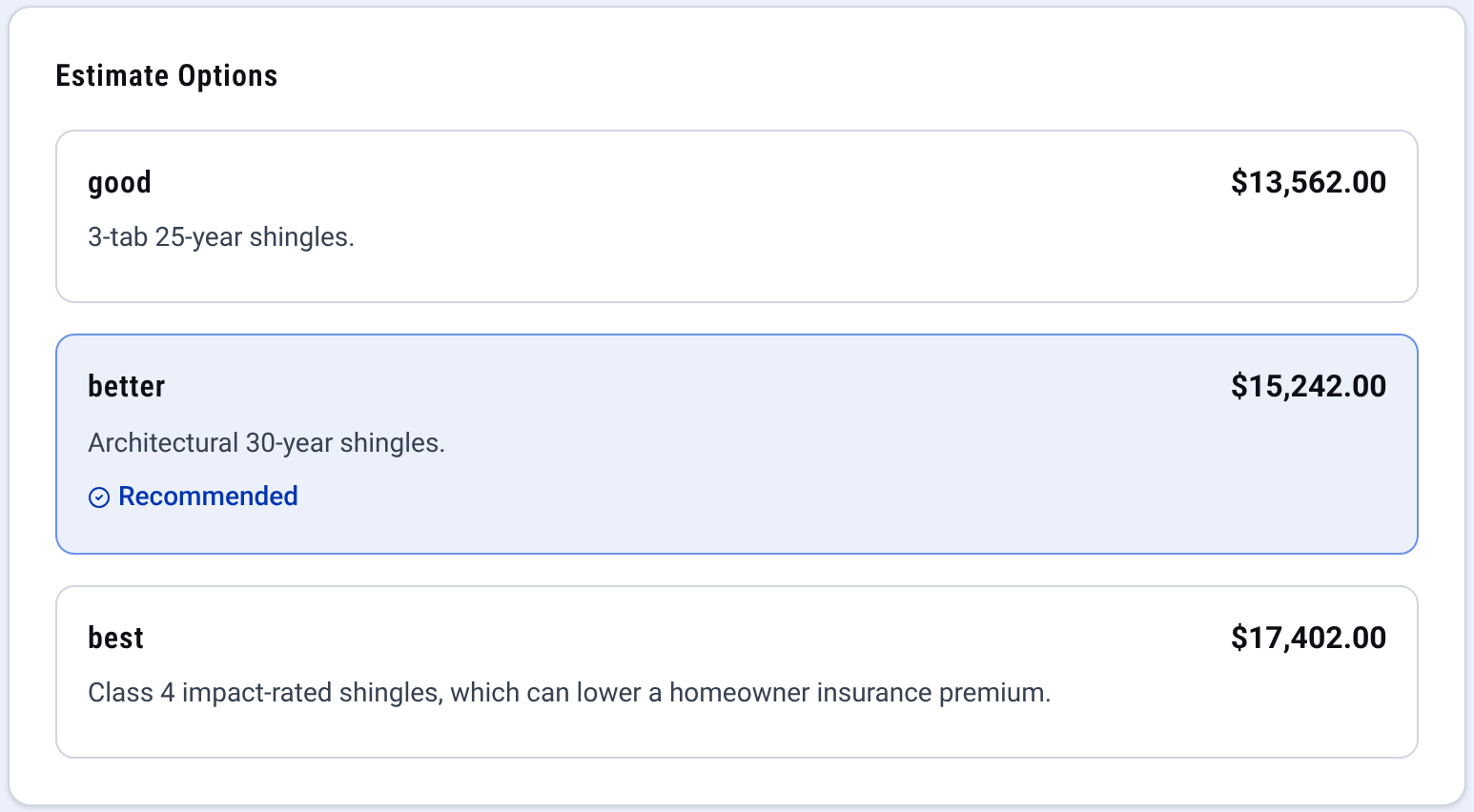
Estimate: good, better and best on one quote

Check it yourself
- Every step in this guide works on paper or in a spreadsheet. Nothing here needs CONSTRUKTR.
- Every CONSTRUKTR feature named here is on the features page, with the plan it comes with.
- Watch the real dashboard and phone app work on a demo company.
Questions owners ask
Should equipment carry the brand and model?
Yes. It lets the homeowner see exactly what they are buying. For small parts, a plain name is enough.
How do I keep every tech pricing the same repair the same way?
One price list for the common repairs, kept where every tech quotes from. In CONSTRUKTR that is your price book: you build every estimate from it and send it to your customer.
What goes in the notes on a repair invoice?
What was wrong, what you did, and anything the homeowner should watch for. It answers the call you would otherwise get next week.
See it on your own jobs.
30 days free, no credit card required
Paid plans renew automatically. 100-day money-back guarantee on your first paid charge. Request a refund at support@construktr.ai. Cancel any time; access continues to the end of the paid period.