


Email the invoice for tonight's no-heat call the same night.
For example: The no-heat call is fixed at 10 pm, and the homeowner asks what they owe before you leave.
30 days free, no credit card required

Generated image, not a real person.
What it costs
You write a number on a carbon pad in the dark, or send it tomorrow and wait.
What owners do today
A carbon-copy pad on the dash, or an invoice typed up the next morning.
Fill in the template
The lines are started for you and every price is blank. Change any line, put in your own prices, and remove every line the job does not need: a line left without a price stops the download until it has one.
No signup. The PDF is made in your browser, and what you type stays in this browser: nothing is sent to us unless you fill in the optional form after you download.
Your business name
INVOICE
INV-1001
| Description | Qty | Price | Amount |
|---|
- Subtotal
- $0.00
- Total
- $0.00
Terms
Payment due by the date above. Parts carry the manufacturer's warranty; labor warranty as stated in the notes.
Notes
What was wrong, what was done, and anything the homeowner should watch for:
Invoices from the job Every plan
Create the invoice from the job.
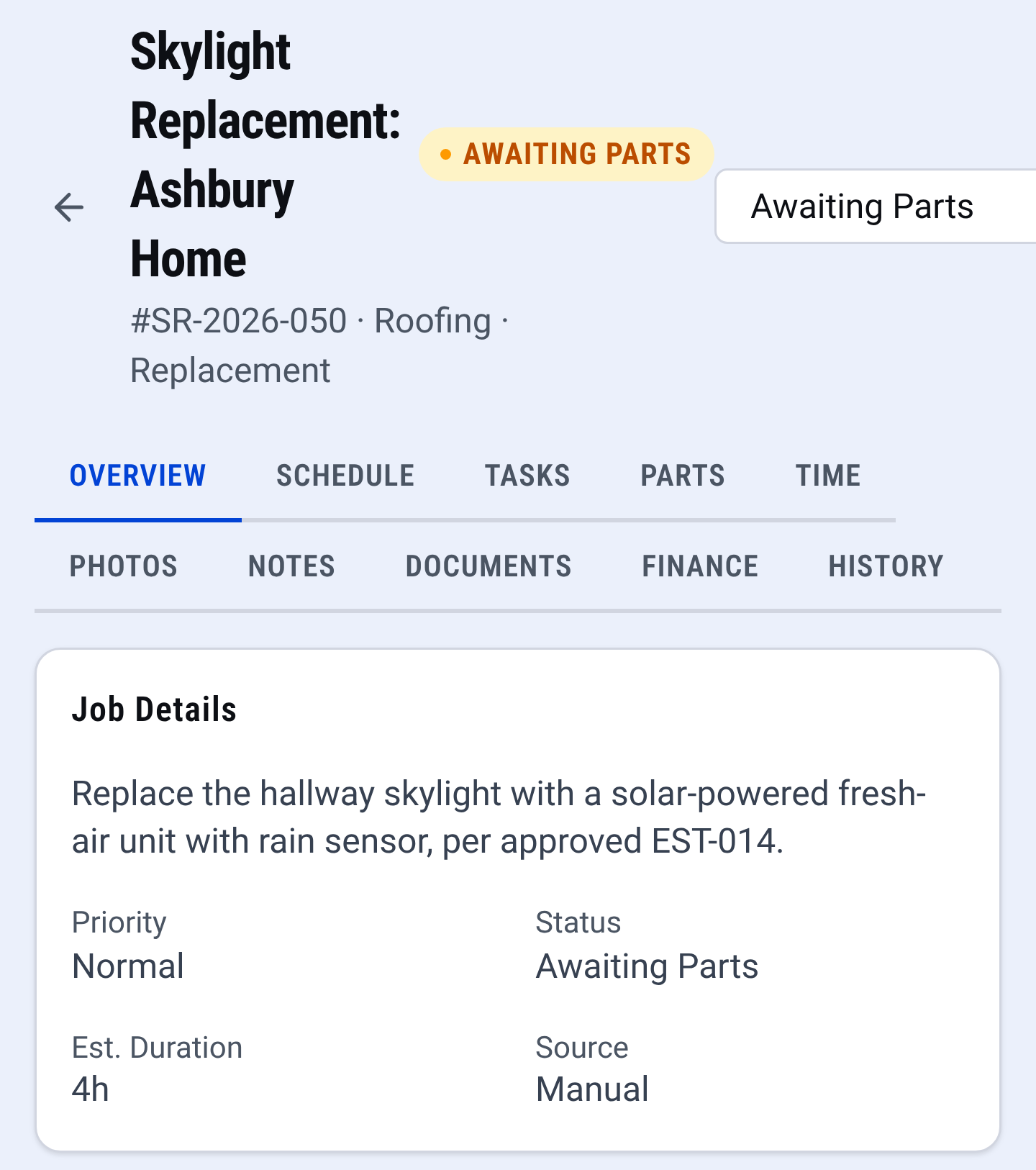
Job record: the whole job in one place Email it to the customer.
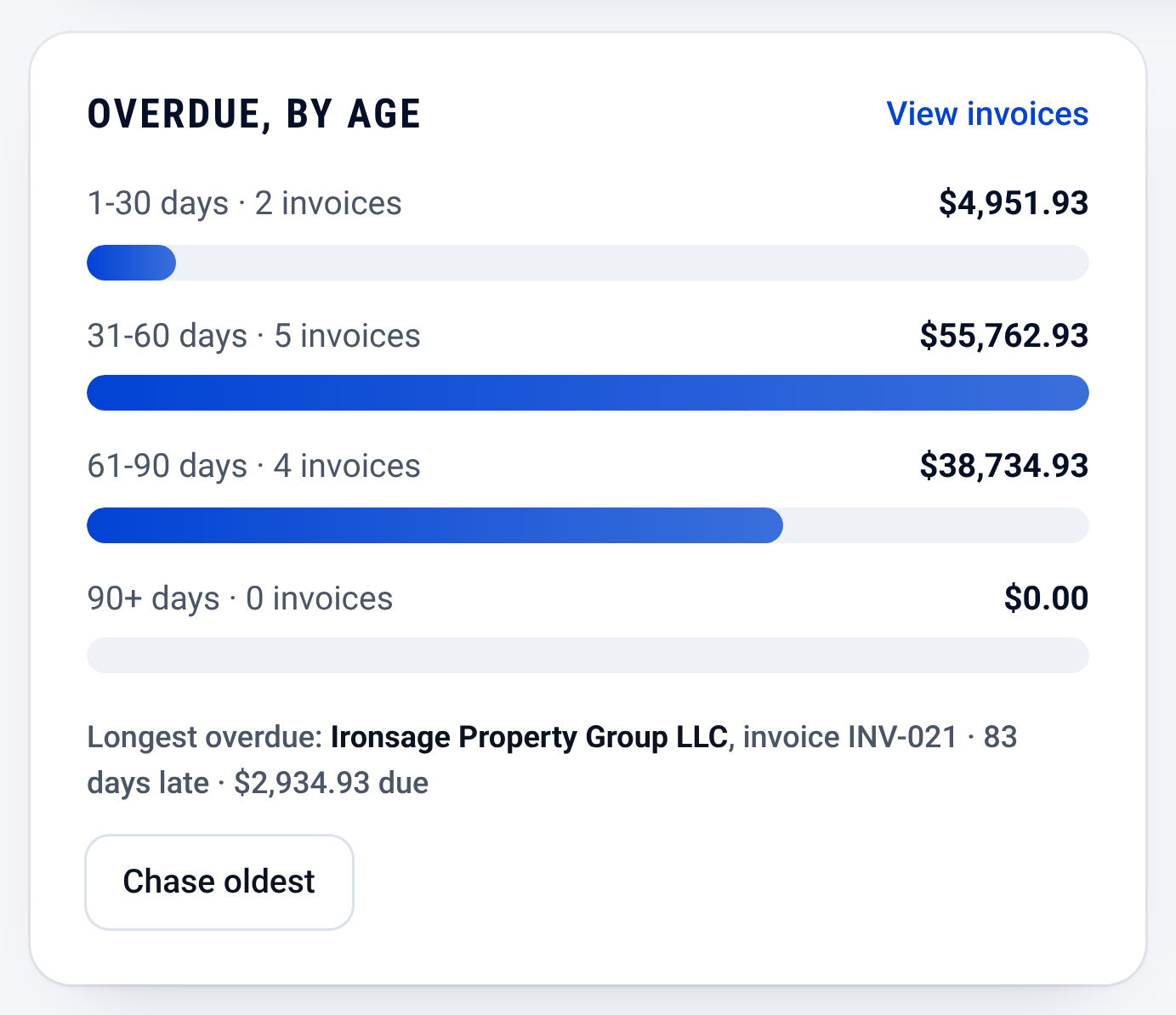
Invoices: who owes you, and how late


Check it yourself
- Open the downloaded PDF: it carries your business name and nothing of ours.
- See every CONSTRUKTR feature, invoices included.
- Watch the real dashboard and phone app work on a demo company.
Questions owners ask
Do I have to sign up to use this template?
No. Change the lines, put in your prices, check the preview and download the PDF. There is no account and no email needed.
Do I have to charge an after-hours rate?
No. The line is there for the shops that charge one. Remove it when you do not, or change the words to how you bill.
How do I bill refrigerant?
Write the refrigerant type in the description, the pounds in the quantity and the price per pound in the price. The template multiplies them and adds the line to the total.
Can the next invoice come from the job instead of being retyped?
In CONSTRUKTR you create the invoice from the job and email it to the customer.
Where does what I type go?
It stays in your browser. The PDF is made on your device, and this page keeps your draft in this browser so a refresh does not lose it. Nothing is sent to us unless you fill in the optional form after you download.
See it on your own jobs.
30 days free, no credit card required
Paid plans renew automatically. 100-day money-back guarantee on your first paid charge. Request a refund at support@construktr.ai. Cancel any time; access continues to the end of the paid period.