


The panel job is done, and the quote gets retyped tonight.
For example: The panel job is finished, and the approved quote gets retyped as an invoice at the kitchen table.
30 days free, no credit card required

Generated image, not a real person.
What it costs
An evening of typing, and a line you never bill because it did not make it across.
What owners do today
Copy the quote into an invoice template by hand.
Quote from one parts list
Panels, breakers by type, wire by the foot, devices and fittings: the same parts appear on job after job. A list you quote from means you look each price up once, not on every quote.
Say who pulls the permit, and whether it is in the price
Whether a job needs a permit depends on the work and on your city or county. When it does, the estimate says who pulls it and whether the fee is in the price, so nobody argues about it at the end.
Name the power-off window
Panel and service work means the power is off. Put the expected window on the estimate so the customer plans around it, and confirm the day before the crew arrives.
Price troubleshooting as time, with a stopping point
Finding a fault is open-ended. Price troubleshooting by the hour, say on the estimate where you will stop and call the customer, and quote the repair once you know what it is.
Turn the quote into the invoice
Everything on the approved quote belongs on the invoice, plus anything added with a yes along the way. Retyping is where lines go missing, and a missing line is work you did for free.
More guides: Price a job so it covers parts, labor and overhead; A weekly routine for who still owes you; Ask customers for reviews, and remember to; Get written approval for extra work; Switch software without losing your customer list; The first month on new software, week by week; Price good, better and best options; HVAC estimates and invoices; Plumbing estimates and invoices; Roofing estimates and invoices; Solar estimates and invoices; Handyman estimates and invoices. All guides.
Invoices from the job Every plan
Create the invoice from the job.
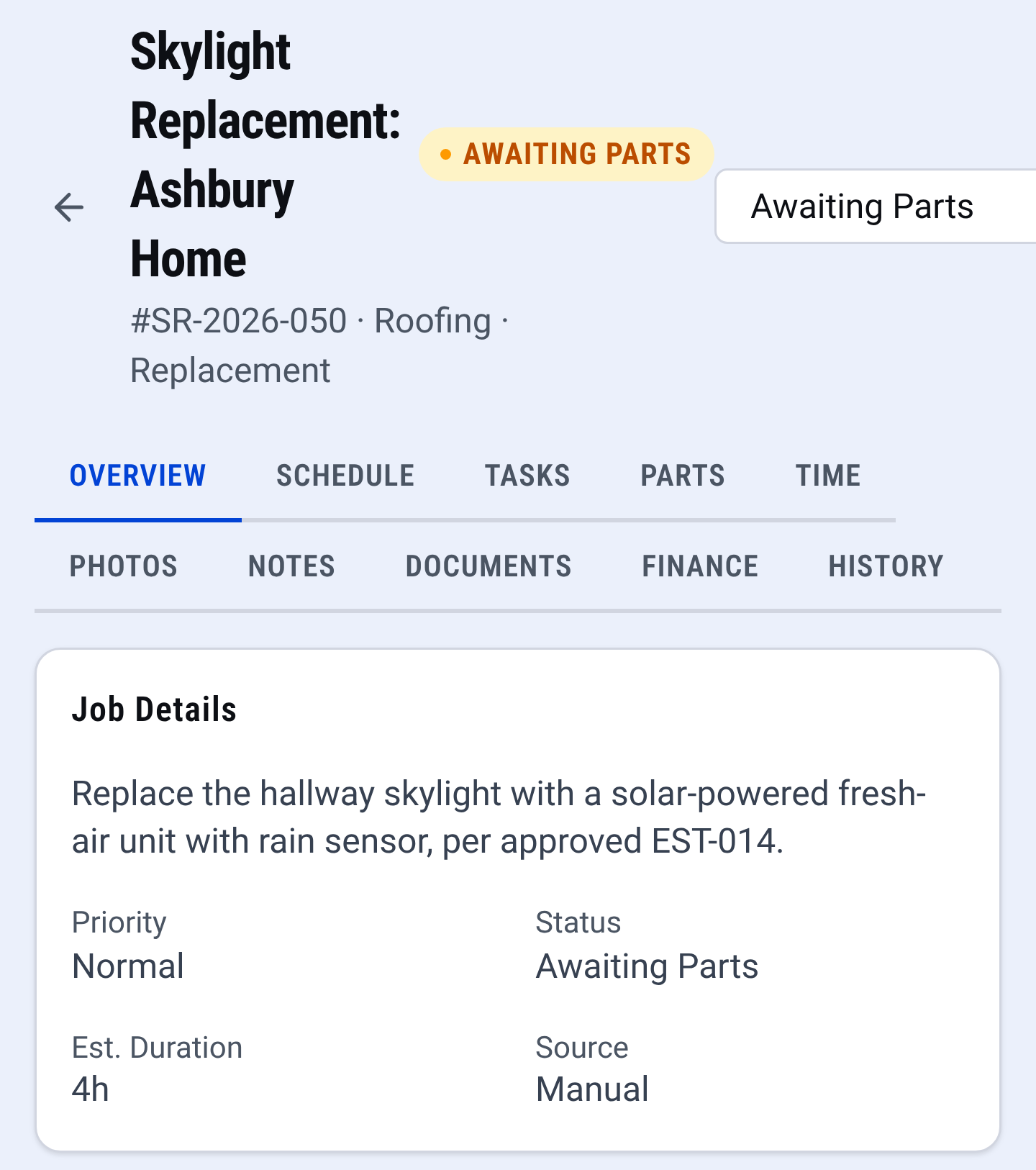
Job record: the whole job in one place Email it to the customer.
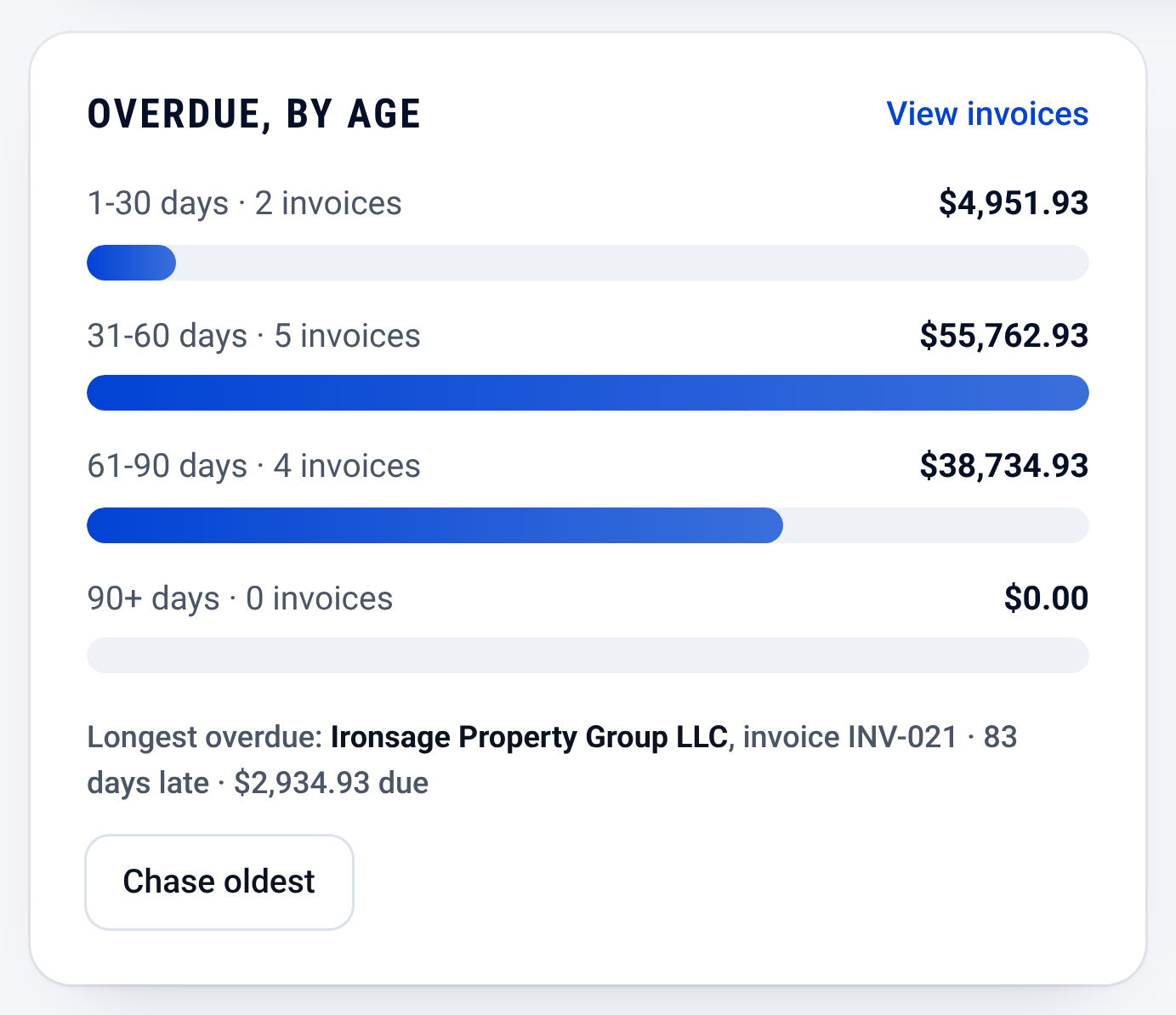
Invoices: who owes you, and how late


Check it yourself
- Every step in this guide works on paper or in a spreadsheet. Nothing here needs CONSTRUKTR.
- Every CONSTRUKTR feature named here is on the features page, with the plan it comes with.
- Watch the real dashboard and phone app work on a demo company.
Questions owners ask
Can I give a fixed price for troubleshooting?
You can, with a limit: a fixed price for the first visit, and a call to the customer before you go past it.
Should breakers and devices be separate lines?
Yes. The customer sees what went in the panel and what went in the wall, and you see what you used.
Does CONSTRUKTR save the retyping?
In CONSTRUKTR you create the invoice from the job and email it to the customer.
See it on your own jobs.
30 days free, no credit card required
Paid plans renew automatically. 100-day money-back guarantee on your first paid charge. Request a refund at support@construktr.ai. Cancel any time; access continues to the end of the paid period.