


Signed up Monday, and by Friday the crew is calling you again.
For example: You signed up for new software on Monday, and by Friday the crew is calling you for the schedule again.
30 days free, no credit card required

Generated image, not a real person.
What it costs
The trial ends before it ever ran a real week.
What owners do today
Try it on a quiet evening, then forget it until the reminder email.
Week one: one real job, start to finish
Skip the tour of every screen. Take one job you have this week and run it all the way through the new system: the customer, the schedule, the estimate, the job and the invoice.
Where it is slower than your old way, write it down. Some of that is learning and some is setup, and the list tells you which.
Week two: one schedule, and only one
Retire the whiteboard or the paper schedule this week, so the day lives in a single place. Keep the old one only for jobs booked before you started.
When a tech asks what is next, the answer is in the app, not in your head. The calls stop once the answer is reliably there.
Week three: estimates and invoices from the system only
Stop writing estimates and invoices anywhere else. Add each common service to the price book the first time you quote it, so the price book builds itself from real work.
Send each invoice when the work is done, from the job, and watch whether the habit holds through a busy day.
Week four: decide with your own month
Before the trial ends, look back: the jobs you ran in it, the estimates and invoices you sent from it, and the evenings you did or did not spend on paperwork.
If it did not earn its place, you know exactly why. If it did, a month of real work is already in it.
The checklist
- Week one: pick one real job and run it all the way through, then write down what was slow.
- Week two: retire the old schedule for new work, so the day lives in one place.
- Week three: write every estimate and invoice in the system only.
- Week three: add each common service to the price book the first time you quote it.
- Week three: send each invoice when the work is done, from the job.
- Week four: look back at the jobs, estimates and invoices from the month, and the evenings you did or did not spend on paperwork.
- Decide whether it earned its place, using your own month.
Get the guide and checklist as a PDF
Leave your first name and business email and the PDF downloads at once.
More guides: Price a job so it covers parts, labor and overhead; A weekly routine for who still owes you; Ask customers for reviews, and remember to; Get written approval for extra work; Switch software without losing your customer list; Price good, better and best options; HVAC estimates and invoices; Plumbing estimates and invoices; Electrical estimates and invoices; Roofing estimates and invoices; Solar estimates and invoices; Handyman estimates and invoices. All guides.
Team scheduling Every plan
Schedule the job once.
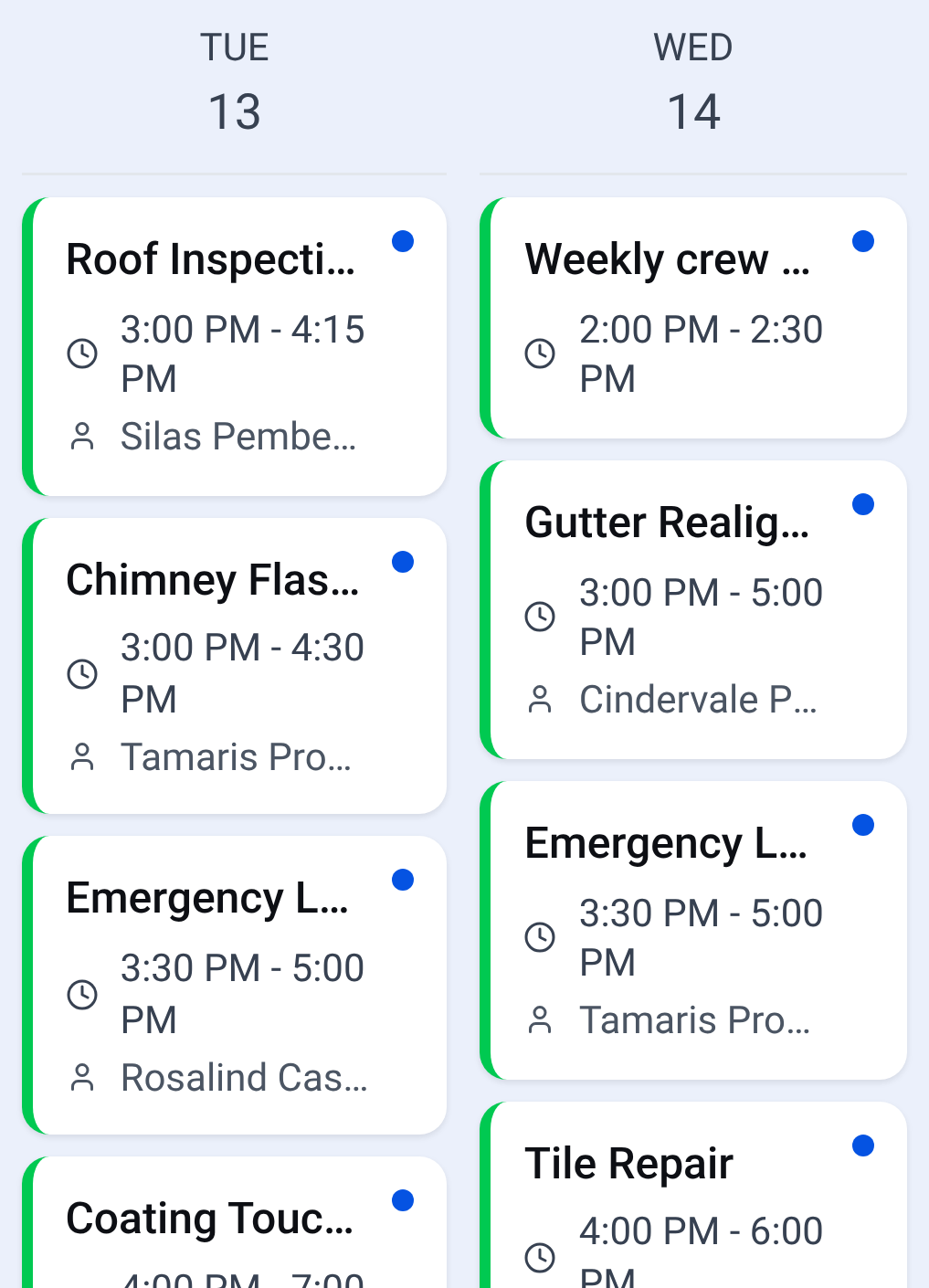
Calendar: the whole crew's week on one screen Assign it to a person on your team.

Check it yourself
- Every step in this guide works on paper or in a spreadsheet. Nothing here needs CONSTRUKTR.
- Every CONSTRUKTR feature named here is on the features page, with the plan it comes with.
- Watch the real dashboard and phone app work on a demo company.
Questions owners ask
What if my crew will not use it?
Start with the one tech who will, and run their day in it first. The others see the schedule work before you ask them to change.
Do I have to set up everything before the first job?
No. Add what the first job needs, the customer and the services on it, and build the rest as each new job asks for it.
Can I keep my old system during the month?
Yes. Keep it for work that started there, and put only new work in the new system, so no job is typed twice.
See it on your own jobs.
30 days free, no credit card required
Paid plans renew automatically. 100-day money-back guarantee on your first paid charge. Request a refund at support@construktr.ai. Cancel any time; access continues to the end of the paid period.