


Leave three systems in writing for whoever missed the kitchen table.
For example: Only one homeowner was at the kitchen table, and the other wants to see the choices before anyone signs.
30 days free, no credit card required

Generated image, not a real person.
What it costs
The deal waits on a second visit you drive back for.
What owners do today
Explain the options again on the phone, from memory.
Fill in the template
The lines are started for you and every price is blank. Change any line, put in your own prices, and remove every line the job does not need: a line left without a price stops the download until it has one.
Each of the three options has its own lines and its own total, so the customer sees the full price of each choice. A line every option includes, such as the permit, is written into each one.
No signup. The PDF is made in your browser, and what you type stays in this browser: nothing is sent to us unless you fill in the optional form after you download.
Your business name
PROPOSAL
PRO-1001
Smaller system
| Description | Qty | Price | Amount |
|---|
- Subtotal
- $0.00
- Smaller system total
- $0.00
Right-size system
| Description | Qty | Price | Amount |
|---|
- Subtotal
- $0.00
- Right-size system total
- $0.00
System with battery
| Description | Qty | Price | Amount |
|---|
- Subtotal
- $0.00
- System with battery total
- $0.00
Terms
Prices good until the date above. Choose one option; work starts once it is approved. The install date follows permit approval.
Notes
System size in kW for each option, and warranty terms for modules, inverter, battery and workmanship:
The PDF ends with a place for your customer to write the option they chose, sign and date it.
Good, better, best Every plan
Put each system on one estimate.
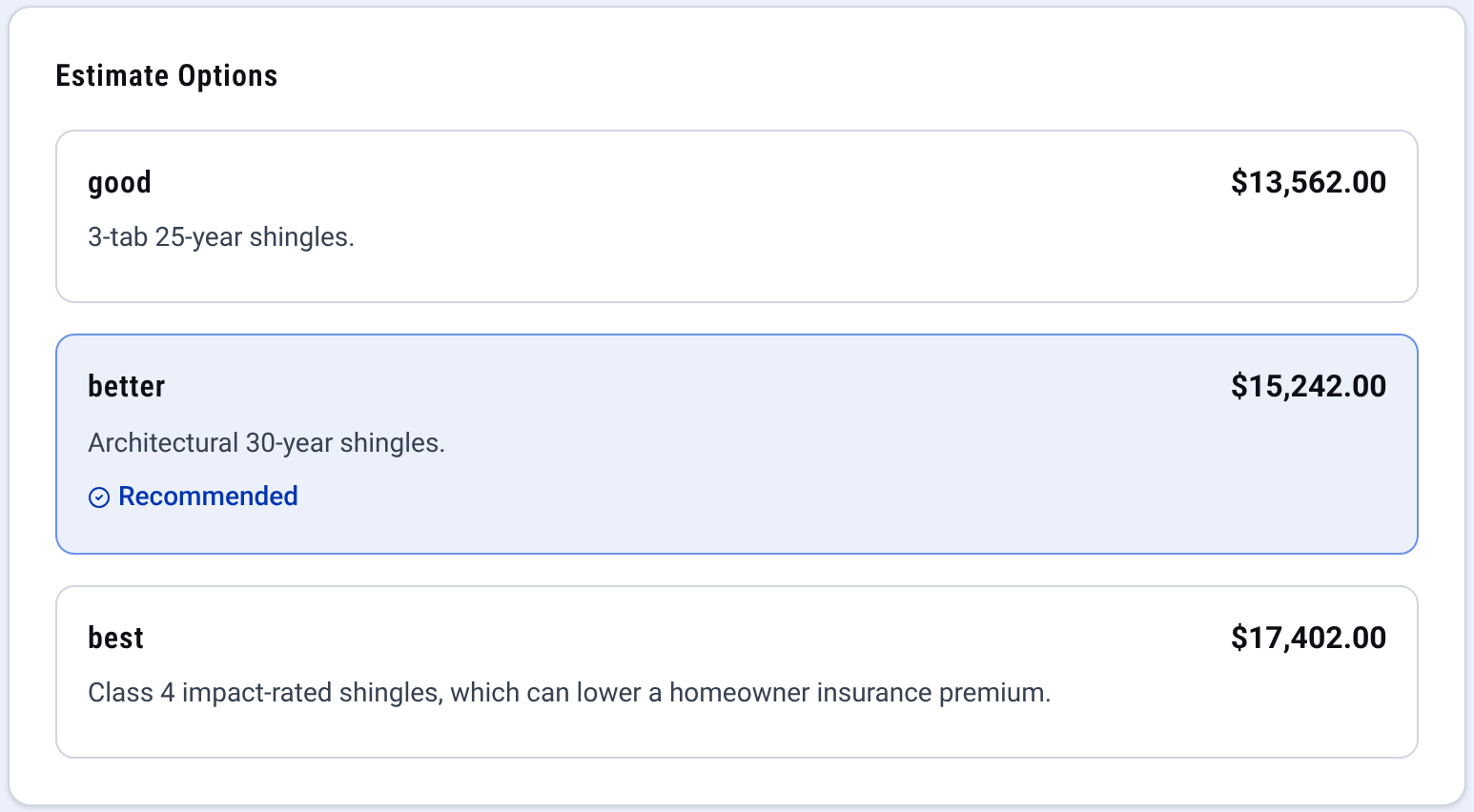
Estimate: good, better and best on one quote The homeowners compare them and approve online.

Check it yourself
- Open the downloaded PDF: three options, each with its own total, under your business name and nothing of ours.
- See every CONSTRUKTR feature, good, better, best estimates included.
- Watch the real dashboard and phone app work on a demo company.
Questions owners ask
Do I have to sign up to use this template?
No. Change the lines, put in your prices, check the preview and download the PDF. There is no account and no email needed.
How does the homeowner pick one?
Each option has its own lines and its own total. The PDF ends with a place for the homeowner to write the option they chose, sign and date it. In CONSTRUKTR the options go on one estimate, and the homeowner compares them and approves online.
Does the proposal work out savings, incentives or payback?
No. Each option adds up the lines you price and the tax rate you type, and nothing else. Anything you tell the homeowner about savings or incentives is yours to check and write in the notes.
Does the template size the system?
No. You size each option from the site survey and the usage you were given, and type the module count and the kW in.
Where does what I type go?
It stays in your browser. The PDF is made on your device, and this page keeps your draft in this browser so a refresh does not lose it. Nothing is sent to us unless you fill in the optional form after you download.
See it on your own jobs.
30 days free, no credit card required
Paid plans renew automatically. 100-day money-back guarantee on your first paid charge. Request a refund at support@construktr.ai. Cancel any time; access continues to the end of the paid period.