

Leaving your software? Move without losing a customer.
No old software to export from? You only need one tidy list. On paper, type it in once.
30 days free, no credit card required

The checklist
1. Get your own data out first
- Customers: name, phone, email, address. Save the list as a CSV or Excel file.
- Price book: every line with its cost and price.
- Open jobs: what is scheduled, who has it, what is left to do.
- Open estimates: who is waiting on a price from you.
- Unpaid invoices: who owes what, and since when.
- Crew list: names, roles and phone numbers.
2. Save copies of what will not move
- Save your own copy of old estimates and invoices as PDFs. The CONSTRUKTR spreadsheet import (Pro and up) reads a file of your customers; keep your own copy of everything else.
- Keep the files somewhere you can find them in a year.
3. Pick the cutover day
- Choose a slow day, not the first cold night of the year.
- Tell your crew the day, and what changes for them.
- Import your customers and look at the preview before anything is saved.
4. Run both for a week
- Enter new jobs in the new system. Leave the old one open, read only.
- At the end of the week, compare open jobs and unpaid invoices line by line.
- Close the old account only when the lists match.
5. Ask any software about your data
- Can I export everything, in a file I can open, whenever I want?
- What does it cost to leave?
- Who can see my customer list?
- What happens to my data if I cancel?
Take it with you
Get the Switching Checklist as a PDF
Leave your first name and business email and the PDF downloads at once.
What it costs
The cost is one tidy list. If your customers live in a notebook, you type them in once.
What owners do today
Your customer list lives in a spreadsheet, a notebook or your phone contacts, not in field service software.
Import from a spreadsheet export Pro and up
Give the top row column names and put one customer on each row below.
Save the sheet as a CSV and drop it in.
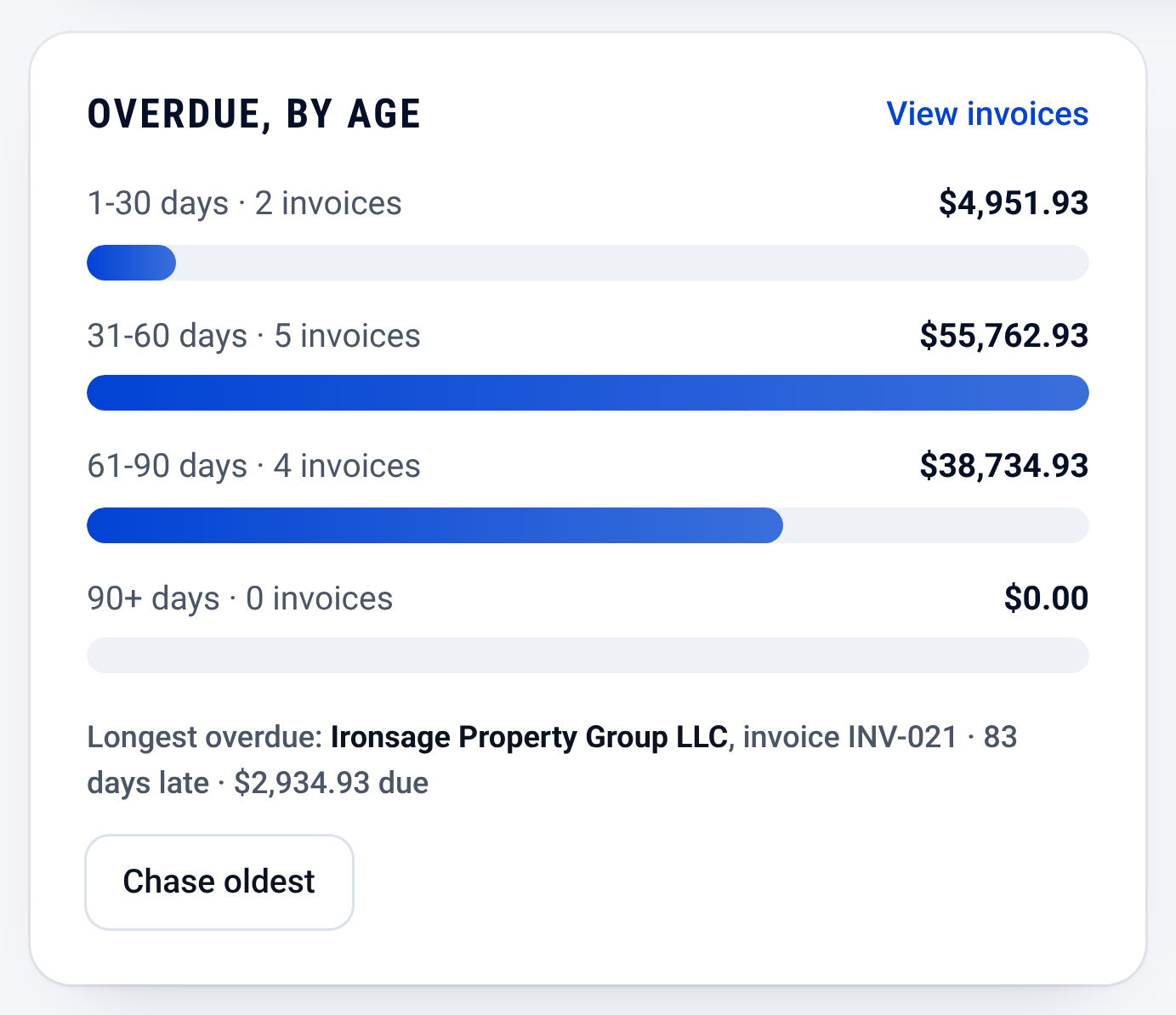
Invoices: who owes you, and how late Check the preview. Fix the sheet and drop it in again if a column looks off.

Check it yourself
- Read every step on this page: the PDF holds the same words on one sheet.
- The steps work with any software. Nothing here needs CONSTRUKTR.
- See the switching guides for the software you use now.
Questions owners ask
Do I have to sign up to get this?
No. Every step is on this page as text. The PDF downloads after you leave a first name and a business email.
See it on your own jobs.
30 days free, no credit card required
Paid plans renew automatically. 100-day money-back guarantee on your first paid charge. Request a refund at support@construktr.ai. Cancel any time; access continues to the end of the paid period.