


The month is over. Did the work actually make money?
For example: The month is over, and the only number you trust is the bank balance.
30 days free, no credit card required

Generated image, not a real person.
What it costs
You set next month's prices without knowing which work paid for itself.
What owners do today
Check the bank balance, flip through the invoices, and leave the spreadsheet for tax time.
Pro $199 a month, Business $349 a month. No per-user fees, and yearly pays 10 months. Starter and Core are not on sale yet. Until then, a trial continues on Pro or Business. See all plans and prices
What the analytics page shows
The analytics page opens on the Executive Dashboard. Pick the period at the top, and the four cards and the completed work charts follow it.
Its menu also lists the custom report builder, which comes only with Business.
- Billed: the invoices you issued in the period, by invoice date. Drafts and voided invoices are left out.
- Profit on completed work: the work you finished, minus the job costs recorded against it.
- Margin on completed work, and how many jobs you completed.
- Completed work by month, by trade and by the lead source the job came from, each with a table view.
Where the numbers stop
Profit is only as true as the costs on the job. It counts the job costs recorded against each job, such as labor and materials, so a job with nothing logged shows more profit than it made. Log them as the work happens.
It does not forecast your cash. The page says so in place of a guess, because a forecast has to start from what is in the bank today, and CONSTRUKTR has nowhere to enter that yet.
Three questions to ask at the end of every month
These work from a spreadsheet as well as from software, and the analytics page answers each of them for the period you pick. Answer them in the same order every month, so this month reads against last month.
- What did we bill?
- What did the work we finished make, after the job costs recorded against it?
- Which trade and which lead source brought the finished work?
Analytics dashboard Pro and up
Open Analytics and pick the period: this week, this month, this quarter, this year or the last 12 months.
See what you billed, and what the finished work made after the job costs recorded against it.
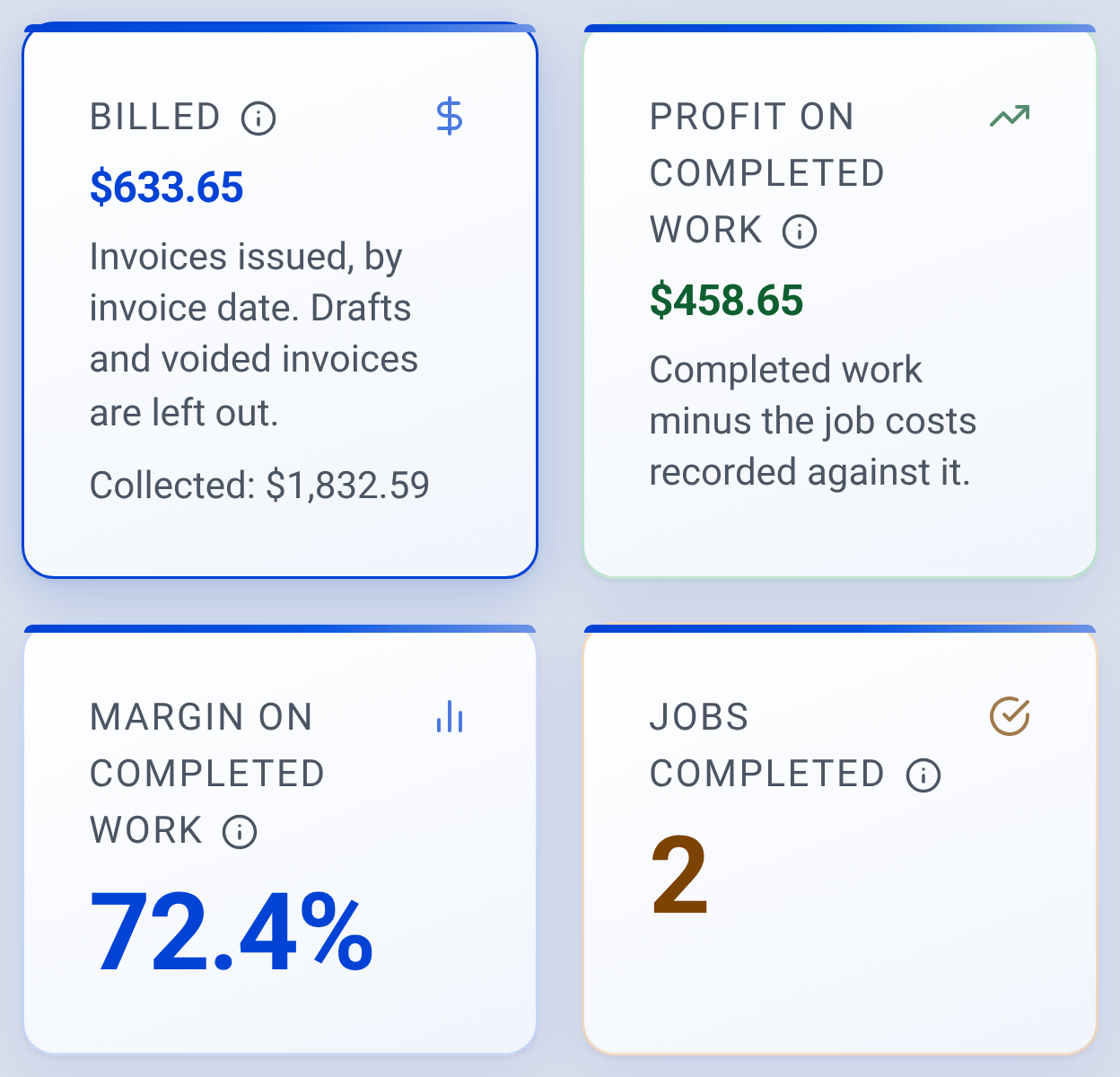
Analytics: what the month billed and what the finished work made

Check it yourself
- The screen above is the real CONSTRUKTR web dashboard, captured from the demo company. Its figures are the demo company's, not a result.
- The web dashboard comes with Pro and Business and every 30-day free trial. See the plans.
- Watch the real dashboard and phone app work on a demo company.
Questions owners ask
Which plan has analytics?
Analytics is on the web dashboard, which comes with Pro and Business and with every 30-day free trial. Job costing, which records labor and materials against each job, is Pro and up too.
Will the profit number be right?
It is the work you finished minus the job costs recorded against it. When hours and materials are logged on the job as the work happens, it matches what the job made. When they are not, it reads higher.
Does it forecast my cash?
Not yet. The page says so instead of showing a figure it made up. What you billed and the charts come straight from your invoices and finished jobs.
Can I see it by trade or by where the work came from?
Yes. Completed work shows by month, by trade and by lead source, each with a table view.
See it on your own jobs.
30 days free, no credit card required
Paid plans renew automatically. 100-day money-back guarantee on your first paid charge. Request a refund at support@construktr.ai. Cancel any time; access continues to the end of the paid period.